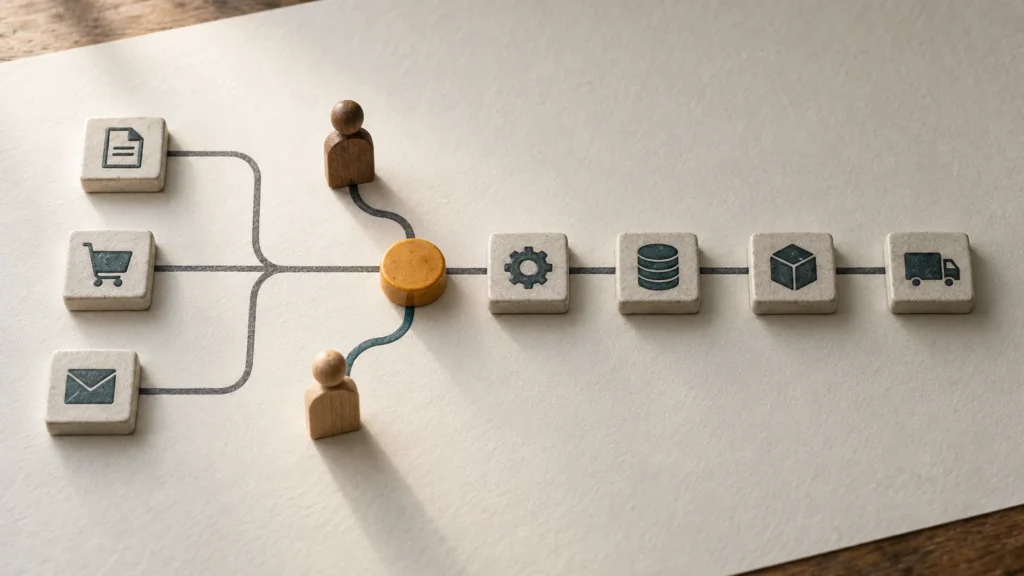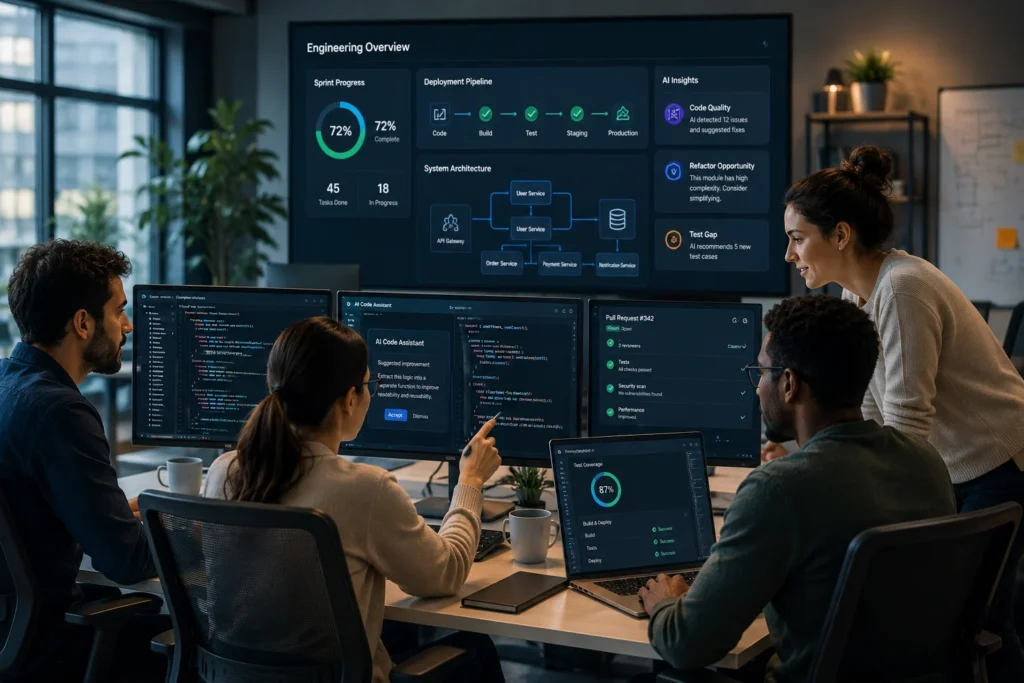
The software development lifecycle shifted permanently when AI assistants graduated from novel autocomplete widgets to autonomous context-aware agents. Today, tech leaders are no longer asking if they should adopt AI, but rather how to integrate the best ai tools for software engineering teams to maximize product velocity without compromising architectural stability. Today, tech leaders are no longer asking if they should adopt AI, but rather which best ai tools for software engineering teams align with their engineering goals.
For CTOs, VPs of Engineering, and technical founders scaling distributed organizations, managing an AI-augmented engineering ecosystem requires a delicate balance. You must understand where these tools excel—such as automating boilerplate code, accelerating code reviews, and streamlining testing—and where they fail, requiring senior engineering oversight.
This comprehensive guide breaks down the top AI software development tools comparison for 2026, analyzes their impact on team productivity, and examines how modern engineering leaders combine cutting-edge automation with high-performing nearshore development teams to achieve maximum output.
The State of AI-Assisted Coding and the Best AI Tools for Software Engineering Teams
In 2026, tools developers use for ai assisted coding have evolved past basic line completion. Modern tools feature multi-file context tracking, autonomous debugging pipelines, and natural language architectural planning. According to recent engineering benchmarks, engineering teams utilizing integrated AI platforms report code generation speeds up to 45% faster for routine tasks.
However, engineering productivity is not just about lines of code written per hour. Uncontrolled AI usage often leads to “code sprawl”—vast quantities of syntactically correct but architecturally fragile code that increases technical debt. This makes senior engineering oversight more critical than ever.
The core challenge for technical leadership is deploying specific ai tools for engineering productivity that serve as force multipliers for senior engineers, rather than crutches for junior teams.
The best ai tools for software engineering teams are no longer limited to code completion. Modern platforms support architecture planning, testing automation, documentation generation, and repository-wide reasoning.
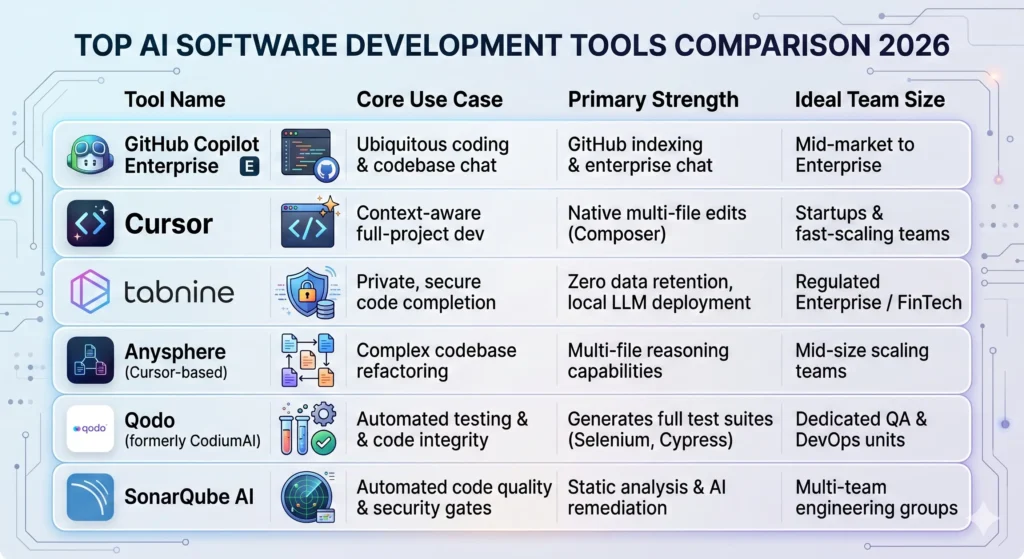
Best AI Tools for Software Engineering Teams Comparison (2026)
AI Developer Assistants & Coding Tools
1. GitHub Copilot Enterprise
GitHub Copilot remains an industry standard for cloud-based engineering environments. Organizations evaluating AI coding assistants can explore the official GitHub Copilot documentation to better understand enterprise capabilities, repository indexing, and developer workflows. The Enterprise tier goes beyond the standard autocomplete function by indexing your organization’s entire private codebase. This allows engineers to ask natural language questions about custom internal APIs, legacy frameworks, and specific repository architectures.
- Key Capabilities: Contextual chat inside the IDE, automated pull request descriptions, documentation generation based on private repositories.
- Best For: Engineering teams already embedded deeply within the GitHub ecosystem who need to onboard developers rapidly to complex, multi-repo projects.
2. Cursor
Cursor has emerged as a favorite IDE for startups and product-focused engineering teams. Built as a direct fork of VS Code, it allows developers to keep all their favorite extensions while embedding advanced language models directly into the core editor mechanics.
- Key Capabilities:
Cmd+Kfor inline code generation,Cmd+Lfor codebase-wide queries, and “Composer” mode for multi-file edits simultaneously. - Best For: Teams focused on rapid prototyping and building greenfield features where multi-file context switches occur frequently.
3. Tabnine
For organizations operating under strict compliance frameworks (such as SOC2, HIPAA, or GDPR), cloud-hosted AI assistants pose data privacy risks. Tabnine addresses this by offering fully private, isolated AI models that can run locally on developer machines or within private cloud environments.
- Key Capabilities: Zero data retention models, local context parsing, custom model training on local code exclusions.
- Best For: FinTech, HealthTech, and enterprise engineering departments that explicitly prohibit code leaving internal networks.
TechAID Perspective: Tools vs. Talent
While deploying best ai tools for developers 2026 can cut down your initial development cycles, it does not replace the requirement for deep contextual engineering. We routinely see companies face architectural bottlenecks when relying solely on AI systems without senior developers overseeing the design patterns. AI writes functions; senior engineers build systems. Melding the two is where rapid scaling happens.
AI Tools for Engineering Productivity & Testing
4. Qodo (CodiumAI)
Writing comprehensive test suites is traditionally one of the most time-consuming phases of the development lifecycle. Qodo automates this by analyzing source code and generating accurate behavior-driven tests, checking for edge cases that human developers might naturally overlook.
- Key Capabilities: Automatic generation of unit tests, integration tests, and regression boundaries; interactive code health dashboards.
- Best For: Teams trying to improve code coverage scores and reduce QA backlogs in fast-moving sprint models.
5. SonarQube AI
SonarQube integrates artificial intelligence directly into the continuous integration/continuous deployment (CI/CD) loop. It acts as an automated gatekeeper, scanning incoming pull requests for security vulnerabilities, memory leaks, and non-standard syntax before human reviewers ever see the code.
- Key Capabilities: AI-suggested code remediation blocks, real-time security scanning, automated technical debt tracking.
- Best For: Mid-to-large scale companies requiring strict governance and high code maintainability standards across distributed engineering squads.
How AI Is Changing Software Architecture Design
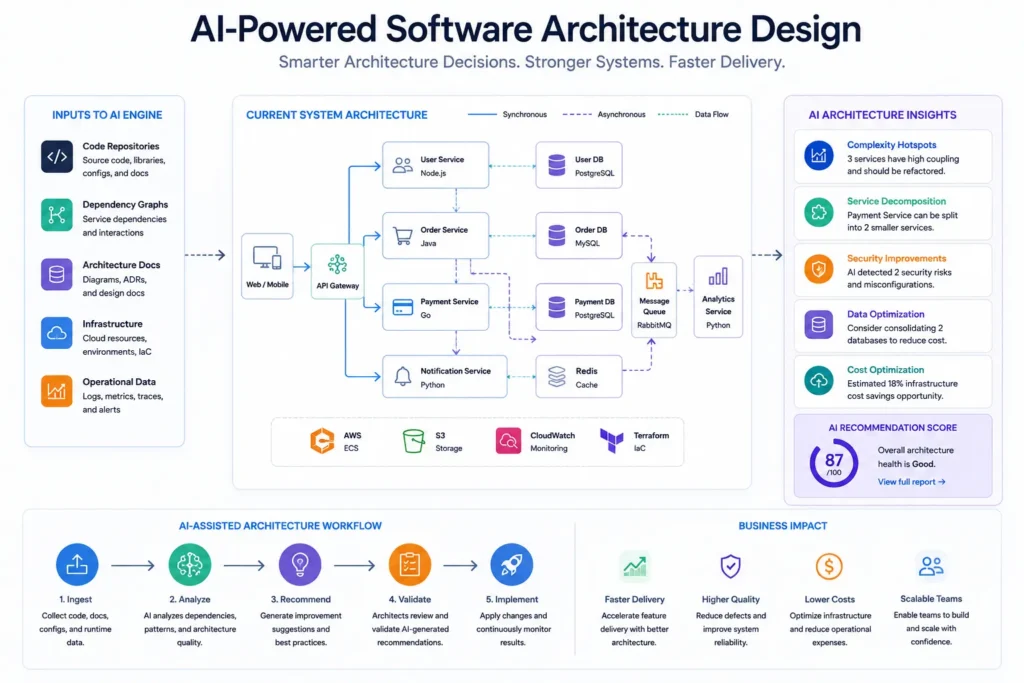
Beyond code generation and testing, AI is beginning to influence how software architecture itself is designed.
Modern AI systems can now analyze entire repositories and suggest architectural improvements such as modularization, dependency reduction, and service separation. This is particularly impactful in monolithic legacy systems, where AI tools can identify refactoring opportunities that would otherwise take senior engineers weeks to uncover manually.
However, architectural decision-making still cannot be fully delegated to AI. While tools can recommend patterns based on statistical similarity across codebases, they lack business context, product strategy awareness, and long-term scalability considerations.
For example, an AI system might suggest splitting a service based on complexity metrics, but fail to understand that latency constraints or team structure make a monolith more efficient in practice.
This is why modern engineering organizations are increasingly adopting a “human-in-the-loop architecture model,” where AI proposes structural changes and senior engineers validate them against product goals.
The result is a hybrid architecture workflow where AI accelerates discovery, but humans retain final design authority.
The TechAID Perspective: Navigating the AI Architecture Safely
As a nearshore software development partner helping U.S. companies scale their engineering capacity, TechAID views AI as a powerful operational accelerant. However, our technical leadership emphasizes that a tool is only as good as the engineer operating it.
[Legacy Development] -> Manual Boilerplate -> Manual Testing -> Slow Release
[AI-Augmented Team] -> Automated Context -> AI Test Suites -> Fast Iteration Overlooked by Senior Staff
When building high-performing remote engineering teams in Latin America (LATAM), we ensure our developers use coding productivity tools safely under specific guardrails:
- Contextual Validation: AI developer assistants often generate code that looks plausible but contains subtle logical errors or outdated library syntax. Our senior nearshore developers treat AI output as draft code that requires mandatory peer evaluation.
- Data Security Compliance: We ensure all remote engineering infrastructure aligns with your organization’s compliance mandates, configuring AI tools to prevent sensitive client data from training public language models.
- Maximizing Time Zone Overlap: By pairing advanced AI utilities with LATAM-based developers who share your exact working hours, our clients achieve a seamless loop of continuous integration and transparent daily standups.
AI Productivity Metrics That Actually Matter
Traditional engineering metrics such as lines of code or number of commits are becoming obsolete in AI-augmented environments.
When AI tools are introduced into development workflows, output volume increases dramatically, but this does not necessarily translate into better software quality.
Instead, engineering leaders should focus on outcome-based metrics. Many engineering organizations rely on the DORA framework to evaluate software delivery performance using metrics such as Lead Time for Changes, Change Failure Rate, Deployment Frequency, and Mean Time to Recovery.
One of the most important is Lead Time for Changes, which measures how quickly a feature moves from idea to production. AI tools significantly reduce this when properly integrated.
Another key metric is Change Failure Rate, which tracks how often deployments result in errors or rollbacks. Interestingly, this metric often increases during early AI adoption phases due to insufficient validation practices.
Sprint predictability is also critical. AI can improve estimation accuracy, but only when teams learn how to distinguish between AI-generated scaffolding and production-ready code.
Finally, cycle time per feature becomes a strong indicator of AI effectiveness. If AI tools are working correctly, cycle time should decrease without a corresponding drop in stability.
These metrics help engineering leaders ensure that AI adoption improves real business performance rather than just developer activity levels.
Actionable Framework: Implementing AI Tools in Distributed Teams
To successfully roll out an ai tools for software development teams list across your engineering department without introducing instability, follow this structured implementation sequence:
Step 1: Establish Data Governance Rules
Before installing any IDE extensions, define your security posture. Determine whether your code can be processed by external cloud LLMs, or if you must mandate local-only models with zero data retention policies.
Step 2: Audit Core Workflows for Bottlenecks
Identify where your development pipeline stalls. If engineers spend excessive time writing boilerplates, implement Cursor or GitHub Copilot. Organizations that lack the internal bandwidth to implement these initiatives often accelerate adoption by partnering with experienced software development teams that already operate mature engineering workflows. If code returns frequently from QA due to edge-case failures, mandate a testing assistant like Qodo.
Step 3: Train Teams on Prompt Engineering and Verification
Shift the team culture from “writing code” to “reviewing and composing systems.” Teach engineers how to write comprehensive prompt specifications and, critically, how to rigorously debug AI-generated structures.
Step 4: Measure Impact Beyond Lines of Code
Track business-centric metrics such as Sprint Velocity, Lead Time for Changes, and Change Failure Rates. True developer productivity means shipping functional, stable software to production faster—not simply inflating repository line counts.
Best Practices for Scaling AI Across Distributed Engineering Teams
Scaling AI tools across distributed engineering teams introduces additional complexity beyond individual productivity gains.
In remote or nearshore environments, consistency becomes the primary challenge. Different engineers may use different prompts, tools, or validation standards, leading to fragmented outputs.
To solve this, organizations should implement standardized AI usage guidelines. This includes defining approved tools, establishing prompt templates, and enforcing code review rules that explicitly account for AI-generated contributions.
Another best practice is centralized observability of AI usage. Engineering leaders should have visibility into how frequently AI tools are being used, what types of tasks are being automated, and where human intervention is still required.
Training is also critical. Distributed teams must be trained not only in tool usage but in AI limitation awareness. Understanding failure modes is as important as understanding capabilities.
Finally, pairing AI tools with senior engineers in overlapping time zones—such as LATAM nearshore teams—ensures continuous validation cycles and reduces the risk of unchecked AI-generated code entering production systems.
Conclusion: The Human-AI Hybrid Advantage
The data from 2026 confirms that the best ai tools for software engineering teams offer monumental gains in efficiency, but they completely rely on human architectural expertise to deliver true product value. The ultimate engineering competitive advantage belongs to companies that pair cutting-edge automation tools with elite, highly aligned technical talent.
By combining the speed of AI developer tools with the strategic problem-solving of dedicated nearshore software engineers, tech companies can scale their product roadmaps sustainably while keeping operational burn rates highly optimized.
If you’re looking to scale your engineering team with AI-augmented nearshore developers and build faster, more reliable software systems, explore how TechAID helps companies implement high-performance distributed engineering models at TechAID Solutions.