QA Automation Strategy for CI/CD: Test Layers, Data, and Failure Diagnosis

QA Automation Strategy for CI/CD: Test Layers, Data, and Failure Diagnosis

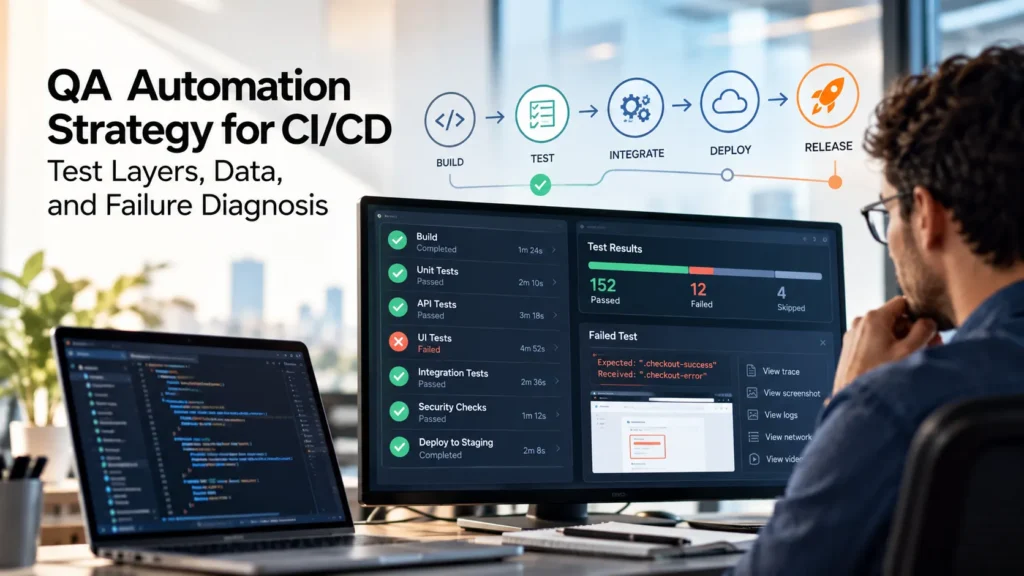
QA engineer reviewing CI/CD test results, automated test failures, and release pipeline diagnostics.
QA automation only creates value when engineering teams trust the results. Learn how to design reliable test layers, manage test data, reduce flaky failures, improve CI/CD feedback, and diagnose broken builds faster.
Share the Post:

Having hundreds of automated tests does not necessarily mean a team has a strong QA automation practice.

A test suite only creates value when engineering teams trust the information it produces.

If CI/CD pipelines are slow, failures appear randomly, test data changes unexpectedly, or developers cannot reproduce a red build, automation begins to lose credibility. Engineers start rerunning failed jobs instead of investigating them. Eventually, the test suite becomes something teams work around rather than something they rely on.

A sustainable QA automation strategy should provide fast, understandable evidence that helps teams answer a simple question:

Is this change safe enough to move forward?

That requires more than selecting an automation framework.

Teams need to make deliberate decisions about test layers, data, environments, pipeline policies, diagnostics, failure ownership, and maintenance.

The goal is not to automate everything.

The goal is to automate the right checks at the most reliable layer and make failures easy enough to understand that teams can act on them quickly.

Automation That Developers Ignore Is Not Quality Engineering

Automation should reduce uncertainty.

When it creates more uncertainty, something in the operating model is failing.

Common symptoms include:

  • Tests that frequently pass after a retry
  • Browser suites that take too long to finish
  • Failures that cannot be reproduced locally
  • Shared accounts or test data causing collisions
  • Red builds with no useful diagnostic evidence
  • Engineers ignoring known flaky tests
  • Tests blocking releases without a clear owner
  • Teams adding more automation without removing duplicated coverage

These problems are often treated as isolated testing issues.

In reality, they usually reveal broader gaps in how QA automation is designed and operated.

A test should make a limited promise:

Given a known state, does this specific behavior work as expected?

Everything around that test should help keep that promise reliable as the product evolves.

That includes:

  • Environment stability
  • Data creation
  • Test isolation
  • CI/CD configuration
  • Failure evidence
  • Ownership
  • Triage

If those elements are weak, adding more automated scripts rarely fixes the underlying problem.

Start With Risk and Feedback Speed

Before choosing another testing tool or expanding an automation suite, identify the risks that matter most.

Ask:

  • What failure could seriously affect a customer?
  • What could prevent a transaction or critical workflow?
  • Which defects could create financial or operational impact?
  • Which permission or security boundaries must not break?
  • Which integrations are essential to the product?
  • Which failures would justify stopping a release?

Then identify the earliest reliable layer that can detect each risk.

For example:

A pricing calculation may be validated through a unit or service-level test.

A permission rule may be better verified through an API-level check.

A critical checkout flow may require a small number of browser-based end-to-end tests.

The objective is to place each check where it provides useful confidence with the lowest reasonable cost.

This follows the same principle behind risk-based software testing: not every feature, workflow, or failure deserves the same testing investment.

Optimize for Cost and Confidence, Not a Perfect Test Pyramid

Test pyramids are useful as a general model, but they should not become a rigid target.

The more important trade-off is between:

  • Feedback speed
  • Reliability
  • Diagnostic clarity
  • Maintenance cost
  • Integration confidence

Lower-level tests are generally faster, more isolated, and easier to diagnose.

Browser-level tests provide broader confidence because they exercise several parts of the system together, but they also introduce more dependencies.

A browser test may depend on:

  • UI behavior
  • APIs
  • Authentication
  • Databases
  • Network availability
  • External services
  • Environment configuration
  • Test data

Every dependency creates another possible reason for failure.

That does not make end-to-end testing unnecessary.

It means it should be intentional.

Use end-to-end automation to protect a limited number of critical journeys rather than trying to reproduce every possible test scenario through the browser.

Make the QA Automation Layers Explicit

A practical QA automation strategy usually benefits from four clear layers.

Each layer should have a specific purpose, owner, expected runtime, environment, and escalation path.

1. Unit and Component Checks

Unit and component tests should validate isolated logic quickly.

They are typically owned primarily by developers and should run close to the code change.

Common use cases include:

  • Business logic
  • Calculations
  • Validation rules
  • Error handling
  • Component behavior
  • Edge cases

These checks are valuable because they provide fast feedback and usually make failures easier to diagnose.

If a business rule can be reliably tested at this layer, there is little value in validating every variation through a browser.

2. API and Contract Checks

API-level automation verifies behavior across service boundaries without requiring a complete user interface.

These tests can validate:

  • Business rules
  • Authentication
  • Authorization
  • API responses
  • Error handling
  • Schema expectations
  • Service interactions
  • Backward compatibility

API tests often provide a strong balance between speed and integration confidence.

They are especially useful for verifying scenarios that would be expensive or slow to reproduce through an end-to-end UI test.

Contract checks can also help identify breaking changes between services before those failures appear in broader workflows.

3. UI Journey Checks

UI automation should focus on the workflows that users genuinely need to complete.

Examples might include:

  • Login
  • Checkout
  • Account creation
  • Critical searches
  • Payment workflows
  • Core administrative actions

The purpose is not to verify every field, button, and validation rule through the UI.

Those details should usually be tested at lower layers whenever possible.

Instead, UI automation should answer:

Can a real user still complete this critical journey across the integrated system?

Include a small number of high-impact negative scenarios where they provide meaningful release confidence.

Avoid building hundreds of overlapping browser tests that all exercise the same application dependencies.

4. Operational Checks

Quality does not stop when the deployment finishes.

Operational checks can help confirm that the application remains healthy in its target environment.

Examples include:

  • Deployment smoke tests
  • Critical integration checks
  • Health endpoints
  • Basic production verification
  • Performance thresholds
  • Monitoring signals
  • Post-release validation

These checks connect QA automation with DevOps and production reliability.

They can provide fast confirmation that a successful deployment also produced a usable application.

Define the Purpose of Every Test Layer

For each layer, document:

  • What it is intended to validate
  • What it should not validate
  • Expected execution time
  • Required environment
  • Test data source
  • Primary owner
  • Failure escalation path

This prevents a common automation failure:

End-to-end tests gradually become the only trusted quality signal because nobody defined what the other layers should own.

When responsibilities are explicit, teams can move coverage downward when appropriate and reserve expensive tests for scenarios that genuinely require integration-level confidence.

Treat Test Data as Product Infrastructure

Many tests described as “flaky” are not actually failing because of the automation code.

They fail because the state around the test is unreliable.

Common causes include:

  • Shared user accounts
  • Reused test records
  • Stale fixtures
  • Unexpected database state
  • External service changes
  • Expired credentials
  • Parallel tests modifying the same data
  • Environments that no longer match test assumptions

Test data should therefore be treated as part of the automation architecture.

Not as an afterthought.

Classify the Data Your Tests Need

Different kinds of test data require different strategies.

Stable Reference Data

Data that rarely changes can often be seeded and versioned.

Examples may include:

  • Country lists
  • Product categories
  • Permission definitions
  • Configuration reference values

The key is making the expected state predictable.

Scenario Data

Tests should create scenario-specific data whenever practical.

Use unique identifiers so tests can execute independently and in parallel.

A test should not fail because another pipeline run happened to use the same customer, order, or account.

Sensitive Data

Production-derived data requires additional care.

Sensitive information should be:

  • Minimized
  • Masked
  • Governed
  • Protected according to company policy

Synthetic data is often preferable when it can represent the required scenario accurately.

External Service Data

For third-party integrations, decide deliberately whether the test needs:

  • A stable mock
  • A contract test
  • A controlled sandbox
  • A live integration check

Not every automated test needs to call the real external service.

Doing so can introduce noise that tells the team more about the third-party environment than about their own software.

Five Questions for Reliable Test Data

For every automated scenario, ask:

  1. Can the test create the state it needs?
  2. Can it clean up that state safely?
  3. Can multiple runs execute in parallel without corrupting one another?
  4. Is the test result still meaningful if an external sandbox is unavailable?
  5. Can a developer reproduce the same scenario locally?

If the answer to one of these questions is no, record the dependency explicitly.

Do not hide an unstable prerequisite behind retries.

A sustainable automation system makes dependencies visible so teams can decide whether to remove, control, mock, or intentionally accept them.

Build CI/CD Feedback Around Decisions

Not every automated test belongs in the same stage of the pipeline.

A useful QA automation strategy separates tests according to the decision they support.

Some tests should answer:

Can this code change be merged?

Others should answer:

Is this build ready to deploy?

And a smaller group should answer:

Is this release candidate safe enough to move into production?

Trying to run every available test after every code change usually creates slow pipelines and unnecessary friction.

Instead, define which checks belong at each stage.

Pull Request Checks

Pull request gates should prioritize fast and deterministic feedback.

Typical checks may include:

  • Unit tests
  • Component tests
  • Static analysis
  • Selected API tests
  • Contract checks
  • Fast integration tests

These tests should help developers understand whether a change introduced an obvious regression before the code is merged.

If a pull request pipeline routinely takes too long, developers may begin bypassing or ignoring the feedback it provides.

Deployment-Stage Checks

Broader tests can run after deployment to a controlled environment.

These may include:

  • Integration suites
  • Critical API workflows
  • Selected UI journeys
  • Environment validation
  • Database migration checks
  • Smoke testing

These tests provide broader confidence without forcing every developer to wait for the full regression suite after each commit.

Release Candidate Checks

Before a production release, teams can run the checks that provide the highest level of integrated confidence.

Examples include:

  • Critical end-to-end journeys
  • High-impact negative scenarios
  • Performance thresholds
  • Security-related validation
  • Cross-service workflows
  • Production-like smoke tests

The important point is to make the policy visible.

Everyone should understand:

  • Which failures block a merge
  • Which failures block deployment
  • Which failures create a ticket
  • Which failures are advisory
  • Who owns each type of failure

A test that blocks delivery without a clear policy or owner quickly becomes a source of frustration.

A Pipeline Should Report More Than Pass or Fail

A red test result is only useful if engineers can understand why it failed.

A useful CI/CD result should provide enough evidence to begin diagnosis immediately.

Depending on the type of test, this may include:

  • Test duration
  • Retry count
  • Changed code
  • Environment version
  • Test data identifier
  • Logs
  • Screenshots
  • Network activity
  • Video
  • Browser traces
  • Relevant service responses
  • Owning team

Failure evidence should be available from the same place where developers see the build result.

Engineers should not need to search through several systems just to understand what happened.

Make Failure Diagnosis Part of the Framework

Test diagnostics should be designed when the automation is created, not added only after failures become difficult to investigate.

For browser automation, tools such as the Playwright Trace Viewer can provide detailed evidence about actions, network activity, console output, page state, and timing.

The broader principle applies regardless of the automation tool.

When a test fails, the team should be able to answer:

  • What was the system doing?
  • What data was involved?
  • Which environment was used?
  • What step failed?
  • What did the application return?
  • Was the failure reproducible?
  • Which team should investigate it?

The faster those questions can be answered, the more useful automation becomes as a release signal.

Do Not Confuse Retries With Remediation

Retries are useful in limited situations.

Networks fail temporarily. Shared services may become briefly unavailable. Distributed systems sometimes experience transient conditions.

A retry can prevent a temporary infrastructure issue from unnecessarily blocking delivery.

But retries become dangerous when they hide unknown failures.

Consider a test that behaves like this:

First attempt: fail
Second attempt: pass

The pipeline may appear green, but something still happened.

The team should know why.

Preserve the First Failure

When a retry occurs, preserve the evidence from the original failed attempt.

Do not replace the failure with the successful retry.

Track:

  • Initial error
  • Retry count
  • Final result
  • Environment
  • Test data
  • Failure frequency

A test that consistently passes on the second attempt is not reliable simply because the pipeline eventually becomes green.

It should be investigated.

Track Retry Frequency

Retry rates can reveal instability long before tests begin failing permanently.

For example, if a critical checkout test increasingly needs retries, the underlying issue might be:

  • Test design
  • Timing
  • Data
  • API latency
  • Environment capacity
  • External dependency behavior

Retry frequency should therefore be treated as a reliability signal.

Create a Failure Taxonomy

One of the fastest ways to improve test triage is to stop labeling every red test as simply “automation failed.”

Create a small set of failure categories.

A practical taxonomy can include five groups.

Product Defect

The application behaves differently from the expected requirement.

Examples:

  • Incorrect calculation
  • Broken workflow
  • Permission failure
  • Invalid API behavior
  • User interface regression

The test may be functioning correctly and exposing a real problem.

Test Defect

The automation itself is incorrect or brittle.

Examples include:

  • Broken selector
  • Incorrect assertion
  • Outdated expectation
  • Race condition inside the test
  • Improper test setup

These failures should lead to automation maintenance rather than product debugging.

Environment Defect

The test cannot run reliably because the environment is incorrect or unavailable.

Possible causes include:

  • Missing configuration
  • Service unavailable
  • Capacity issue
  • Authentication problem
  • Incorrect deployment
  • Network failure

Environment failures should have clear ownership outside the individual test.

Data Defect

The expected test state is invalid.

Examples:

  • Shared data was modified
  • Fixture is outdated
  • Required record is missing
  • Account state is incorrect
  • Test cleanup failed

Repeated data failures usually indicate a test data management problem rather than isolated automation defects.

Unknown

Sometimes the team does not immediately know why the test failed.

That is acceptable temporarily.

What matters is assigning:

  • An owner
  • Investigation priority
  • A time limit for diagnosis

“Unknown” should not become a permanent category where difficult failures disappear.

Use Failure Classification to Improve the System

Failure taxonomy is not just a reporting exercise.

Over time, patterns reveal where the automation system needs investment.

If most failures are test defects, automation design may need improvement.

If environment defects dominate, the test infrastructure may be unstable.

If data defects are common, teams may need better test data isolation.

If genuine product defects are being caught consistently, the suite is providing useful release protection.

The classification shifts discussions away from blame and toward system improvement.

Instead of asking:

“Why are the tests always broken?”

Teams can ask:

“What type of failure is creating the most delivery friction?”

That question is much easier to act on.

Give QA Automation a Clear Operating Owner

QA automation is not owned by a single role.

It is a cross-functional system.

Developers typically own:

  • Testability
  • Unit and component tests
  • Many service-level checks
  • Defect remediation

QA and quality engineers often own:

  • Automation strategy
  • Coverage design
  • Critical journey identification
  • Exploratory testing
  • Automation health
  • Failure analysis practices

DevOps and platform teams may own:

  • CI/CD infrastructure
  • Test environments
  • Deployment pipelines
  • Observability
  • Environment reliability

Product leaders help define:

  • Critical business journeys
  • Customer impact
  • Release priorities
  • Acceptable risk

The responsibilities can be shared, but ownership cannot be ambiguous.

Someone needs to be accountable for the health of the automation system.

Measure Automation Health With Useful Metrics

Avoid measuring success primarily by:

  • Number of automated scripts
  • Number of test cases
  • Percentage of tests automated

These numbers can increase while confidence gets worse.

More useful indicators include:

Flaky Test Rate

How often do tests produce inconsistent results without meaningful product changes?

Median Feedback Time

How long does it take developers to receive actionable test feedback?

Time to Triage

How quickly can the team classify and assign a failure?

Retry Rate

How frequently do tests need additional attempts before passing?

Critical Journey Coverage

Do the business workflows that matter most have reliable automated evidence?

Escaped Defects

Which important issues are still reaching later environments or production?

Failure Distribution

How many failures come from:

  • Product defects
  • Test defects
  • Environment defects
  • Data defects
  • Unknown causes

These metrics provide a clearer picture of whether QA automation is improving release confidence or simply increasing test volume.

A 30-Day QA Automation Repair Plan

A struggling automation system does not always need a complete rewrite.

In many cases, the fastest path to better release confidence is to repair the operating model one critical workflow at a time.

A focused 30-day plan can help teams identify where reliability is breaking down and establish a stronger foundation before investing in new tools or frameworks.

Week 1: Map the Current System

Begin by understanding what exists today.

Document:

  • Critical user journeys
  • Current test layers
  • CI/CD pipeline runtime
  • Most common failures
  • Flaky tests
  • Test data dependencies
  • Environment dependencies
  • Retry behavior
  • Failure evidence
  • Current owners

Do not start by rewriting tests.

The first objective is to understand why the current automation system is difficult to trust.

Identify which tests:

  • Frequently fail without product changes
  • Take the longest to execute
  • Block releases most often
  • Require repeated manual investigation
  • Depend on unstable data or environments

This creates a prioritized repair backlog.

Week 2: Stabilize One Critical Journey

Choose one workflow that provides meaningful business or release value.

Examples might include:

  • User authentication
  • Checkout
  • Payment processing
  • Account creation
  • Core API transaction
  • Critical administrative workflow

Follow that journey across every relevant layer.

Ask:

  • Which behavior belongs in unit tests?
  • Which behavior belongs at the API layer?
  • Which scenarios actually require the UI?
  • What data does the workflow depend on?
  • Which external systems can create noise?
  • What diagnostic evidence is available when it fails?

Remove duplicated coverage where appropriate.

If a noisy test must be quarantined temporarily, document why it was removed and what will replace its coverage.

The objective is not simply to make the test green.

The objective is to make the result believable.

Week 3: Make Test Data and Pipeline Policy Deterministic

Once one critical path is more stable, address the systems around it.

For test data:

  • Create scenario-specific data where possible
  • Remove unnecessary shared accounts
  • Add unique identifiers
  • Improve cleanup
  • Document external dependencies
  • Separate stable reference data from scenario data

For CI/CD policy, define which checks:

  • Run on every pull request
  • Run after deployment
  • Run on a schedule
  • Run before a release
  • Block delivery
  • Generate a warning
  • Create a follow-up ticket

This prevents every automated test from becoming an equally important release gate.

Week 4: Introduce Failure Classification and Reliability Reporting

Once the test layers, data, and pipeline policy are clearer, improve how failures are managed.

Use the failure taxonomy consistently:

  • Product defect
  • Test defect
  • Environment defect
  • Data defect
  • Unknown

Then begin tracking:

  • Flaky test rate
  • Retry rate
  • Median feedback time
  • Time to triage
  • Critical journey coverage
  • Failure distribution
  • Escaped defects

Review these signals regularly.

The purpose is not to create another reporting dashboard.

It is to identify which part of the quality system is generating the most friction and prioritize the next improvement accordingly.

Repair the Operating Model Before Rewriting the Framework

When automation becomes unreliable, teams often conclude that the framework itself needs to be replaced.

Sometimes that is true.

But framework migration can also become a distraction from underlying problems.

Changing tools will not automatically fix:

  • Shared test data
  • Undefined ownership
  • Unstable environments
  • Poor diagnostics
  • Duplicated coverage
  • Unclear CI/CD policies
  • Missing release criteria

A new framework running against the same unstable operating model can reproduce the same problems with different syntax.

Google’s guidance on balancing automated test layers illustrates a long-standing testing principle: broader end-to-end checks are valuable, but relying too heavily on them can increase runtime, maintenance cost, and diagnostic complexity.

Before replacing the framework, identify whether the problem is actually:

  • Tool capability
  • Test architecture
  • Data
  • Environment stability
  • Pipeline design
  • Ownership
  • Failure diagnosis

Replace technology when the technology is the constraint.

Repair the operating model when the operating model is the constraint.

How Do You Build a Sustainable QA Automation Strategy?

A sustainable QA automation strategy should connect risk, testing layers, data, CI/CD policy, and ownership into one operating system.

The sequence is straightforward:

1. Identify the Risks That Matter

Start with the failures that would have meaningful customer, business, security, or operational impact.

2. Test Each Risk at the Cheapest Reliable Layer

Avoid validating everything through the browser.

Use lower-level checks whenever they can provide sufficient confidence.

3. Control the Test State

Make data creation, cleanup, isolation, and external dependencies explicit.

4. Match Tests to Delivery Decisions

Define which checks support merge, deployment, and release decisions.

5. Capture Useful Failure Evidence

A failed test should provide enough information for someone to begin investigation immediately.

6. Classify and Own Failures

Separate product, test, environment, data, and unknown failures.

Assign accountability.

7. Measure Reliability, Not Test Volume

Track whether automation is becoming faster, more stable, and easier to diagnose.

The result should be an automation system that engineers use to make decisions rather than one they simply tolerate.

Need to establish or recover a reliable QA automation foundation?
TechAID can support defined QA, test automation, and DevOps workstreams with measurable acceptance criteria and handoff requirements. Explore Project Outsourcing.

Where TechAID Fits

The right engagement model depends on whether the organization needs a defined automation outcome, additional specialist capacity, or permanent internal ownership.

Project Outsourcing

Project outsourcing fits when the goal can be clearly defined.

Examples include:

  • Establishing a regression automation baseline
  • Stabilizing CI/CD quality gates
  • Reducing flaky-test noise
  • Improving failure diagnostics
  • Designing a test automation framework
  • Introducing deterministic test data
  • Implementing release-readiness automation

The work can be managed as a defined QA or DevOps initiative with agreed scope, responsibilities, acceptance criteria, and handoff expectations.

Staff Augmentation

Staff augmentation is stronger when the client already has:

  • Engineering management
  • QA leadership
  • Backlog ownership
  • Delivery rituals
  • Technical standards

but needs sustained specialist capacity.

An embedded QA automation engineer or specialist pod can work inside the client’s existing system while the client retains day-to-day delivery ownership.

Direct Hiring

Direct hiring is appropriate when quality engineering leadership or automation architecture should become an enduring internal capability.

This may be the stronger model when the organization needs a long-term owner to define:

  • Quality architecture
  • Testing standards
  • Automation strategy
  • Engineering practices
  • Cross-team quality governance

The delivery model should follow the ownership requirement rather than simply the immediate need for more test scripts.

The Next Step: Start With One Unreliable Pipeline

Do not begin by trying to fix every test suite.

Choose one pipeline that repeatedly delays releases or creates uncertainty.

Map:

  • Its test layers
  • Critical journeys
  • Runtime
  • Data dependencies
  • Environment dependencies
  • Retry behavior
  • Failure evidence
  • Failure ownership

Then identify the largest confidence gap.

The answer may be:

  • Better test isolation
  • Cleaner test data
  • Faster lower-level coverage
  • Stronger diagnostics
  • Improved environment stability
  • Clearer ownership
  • A focused automation project
  • Additional QA automation capacity

Solving one important workflow creates evidence for how the broader QA automation system should evolve.

Final Thoughts: QA Automation Should Produce Trust, Not Just Tests

QA automation is valuable when it helps engineering teams make faster and more confident decisions.

The number of scripts is secondary.

A smaller suite with clear layers, deterministic data, useful diagnostics, and accountable ownership can provide more release confidence than thousands of tests that developers regularly retry or ignore.

A sustainable QA automation strategy should make it clear:

  • What each test protects
  • Why it runs at a specific layer
  • What data it requires
  • When it should block delivery
  • What evidence it produces
  • Who owns the failure

When those questions have clear answers, automation becomes part of the engineering delivery system rather than a separate collection of test scripts.

If your CI/CD pipeline is slow, noisy, or difficult to trust, start by repairing one critical workflow and the operating system around it.

Need help building or stabilizing a QA automation practice that supports reliable releases? Talk with TechAID about your QA and engineering needs.


Key Takeaways
  • QA automation should provide fast, trustworthy release feedback rather than maximize the number of automated tests.

  • Reliable automation depends on intentional test layers, controlled data, clear CI/CD policies, useful failure evidence, and defined ownership.

  • Before replacing an automation framework, determine whether the real problem is the tool or the operating model around it.

  • Having hundreds of automated tests does not necessarily mean a team has a strong QA automation practice.

    A test suite only creates value when engineering teams trust the information it produces.

    If CI/CD pipelines are slow, failures appear randomly, test data changes unexpectedly, or developers cannot reproduce a red build, automation begins to lose credibility. Engineers start rerunning failed jobs instead of investigating them. Eventually, the test suite becomes something teams work around rather than something they rely on.

    A sustainable QA automation strategy should provide fast, understandable evidence that helps teams answer a simple question:

    Is this change safe enough to move forward?

    That requires more than selecting an automation framework.

    Teams need to make deliberate decisions about test layers, data, environments, pipeline policies, diagnostics, failure ownership, and maintenance.

    The goal is not to automate everything.

    The goal is to automate the right checks at the most reliable layer and make failures easy enough to understand that teams can act on them quickly.

    Automation That Developers Ignore Is Not Quality Engineering

    Automation should reduce uncertainty.

    When it creates more uncertainty, something in the operating model is failing.

    Common symptoms include:

    • Tests that frequently pass after a retry
    • Browser suites that take too long to finish
    • Failures that cannot be reproduced locally
    • Shared accounts or test data causing collisions
    • Red builds with no useful diagnostic evidence
    • Engineers ignoring known flaky tests
    • Tests blocking releases without a clear owner
    • Teams adding more automation without removing duplicated coverage

    These problems are often treated as isolated testing issues.

    In reality, they usually reveal broader gaps in how QA automation is designed and operated.

    A test should make a limited promise:

    Given a known state, does this specific behavior work as expected?

    Everything around that test should help keep that promise reliable as the product evolves.

    That includes:

    • Environment stability
    • Data creation
    • Test isolation
    • CI/CD configuration
    • Failure evidence
    • Ownership
    • Triage

    If those elements are weak, adding more automated scripts rarely fixes the underlying problem.

    Start With Risk and Feedback Speed

    Before choosing another testing tool or expanding an automation suite, identify the risks that matter most.

    Ask:

    • What failure could seriously affect a customer?
    • What could prevent a transaction or critical workflow?
    • Which defects could create financial or operational impact?
    • Which permission or security boundaries must not break?
    • Which integrations are essential to the product?
    • Which failures would justify stopping a release?

    Then identify the earliest reliable layer that can detect each risk.

    For example:

    A pricing calculation may be validated through a unit or service-level test.

    A permission rule may be better verified through an API-level check.

    A critical checkout flow may require a small number of browser-based end-to-end tests.

    The objective is to place each check where it provides useful confidence with the lowest reasonable cost.

    This follows the same principle behind risk-based software testing: not every feature, workflow, or failure deserves the same testing investment.

    Optimize for Cost and Confidence, Not a Perfect Test Pyramid

    Test pyramids are useful as a general model, but they should not become a rigid target.

    The more important trade-off is between:

    • Feedback speed
    • Reliability
    • Diagnostic clarity
    • Maintenance cost
    • Integration confidence

    Lower-level tests are generally faster, more isolated, and easier to diagnose.

    Browser-level tests provide broader confidence because they exercise several parts of the system together, but they also introduce more dependencies.

    A browser test may depend on:

    • UI behavior
    • APIs
    • Authentication
    • Databases
    • Network availability
    • External services
    • Environment configuration
    • Test data

    Every dependency creates another possible reason for failure.

    That does not make end-to-end testing unnecessary.

    It means it should be intentional.

    Use end-to-end automation to protect a limited number of critical journeys rather than trying to reproduce every possible test scenario through the browser.

    Make the QA Automation Layers Explicit

    A practical QA automation strategy usually benefits from four clear layers.

    Each layer should have a specific purpose, owner, expected runtime, environment, and escalation path.

    1. Unit and Component Checks

    Unit and component tests should validate isolated logic quickly.

    They are typically owned primarily by developers and should run close to the code change.

    Common use cases include:

    • Business logic
    • Calculations
    • Validation rules
    • Error handling
    • Component behavior
    • Edge cases

    These checks are valuable because they provide fast feedback and usually make failures easier to diagnose.

    If a business rule can be reliably tested at this layer, there is little value in validating every variation through a browser.

    2. API and Contract Checks

    API-level automation verifies behavior across service boundaries without requiring a complete user interface.

    These tests can validate:

    • Business rules
    • Authentication
    • Authorization
    • API responses
    • Error handling
    • Schema expectations
    • Service interactions
    • Backward compatibility

    API tests often provide a strong balance between speed and integration confidence.

    They are especially useful for verifying scenarios that would be expensive or slow to reproduce through an end-to-end UI test.

    Contract checks can also help identify breaking changes between services before those failures appear in broader workflows.

    3. UI Journey Checks

    UI automation should focus on the workflows that users genuinely need to complete.

    Examples might include:

    • Login
    • Checkout
    • Account creation
    • Critical searches
    • Payment workflows
    • Core administrative actions

    The purpose is not to verify every field, button, and validation rule through the UI.

    Those details should usually be tested at lower layers whenever possible.

    Instead, UI automation should answer:

    Can a real user still complete this critical journey across the integrated system?

    Include a small number of high-impact negative scenarios where they provide meaningful release confidence.

    Avoid building hundreds of overlapping browser tests that all exercise the same application dependencies.

    4. Operational Checks

    Quality does not stop when the deployment finishes.

    Operational checks can help confirm that the application remains healthy in its target environment.

    Examples include:

    • Deployment smoke tests
    • Critical integration checks
    • Health endpoints
    • Basic production verification
    • Performance thresholds
    • Monitoring signals
    • Post-release validation

    These checks connect QA automation with DevOps and production reliability.

    They can provide fast confirmation that a successful deployment also produced a usable application.

    Define the Purpose of Every Test Layer

    For each layer, document:

    • What it is intended to validate
    • What it should not validate
    • Expected execution time
    • Required environment
    • Test data source
    • Primary owner
    • Failure escalation path

    This prevents a common automation failure:

    End-to-end tests gradually become the only trusted quality signal because nobody defined what the other layers should own.

    When responsibilities are explicit, teams can move coverage downward when appropriate and reserve expensive tests for scenarios that genuinely require integration-level confidence.

    Treat Test Data as Product Infrastructure

    Many tests described as “flaky” are not actually failing because of the automation code.

    They fail because the state around the test is unreliable.

    Common causes include:

    • Shared user accounts
    • Reused test records
    • Stale fixtures
    • Unexpected database state
    • External service changes
    • Expired credentials
    • Parallel tests modifying the same data
    • Environments that no longer match test assumptions

    Test data should therefore be treated as part of the automation architecture.

    Not as an afterthought.

    Classify the Data Your Tests Need

    Different kinds of test data require different strategies.

    Stable Reference Data

    Data that rarely changes can often be seeded and versioned.

    Examples may include:

    • Country lists
    • Product categories
    • Permission definitions
    • Configuration reference values

    The key is making the expected state predictable.

    Scenario Data

    Tests should create scenario-specific data whenever practical.

    Use unique identifiers so tests can execute independently and in parallel.

    A test should not fail because another pipeline run happened to use the same customer, order, or account.

    Sensitive Data

    Production-derived data requires additional care.

    Sensitive information should be:

    • Minimized
    • Masked
    • Governed
    • Protected according to company policy

    Synthetic data is often preferable when it can represent the required scenario accurately.

    External Service Data

    For third-party integrations, decide deliberately whether the test needs:

    • A stable mock
    • A contract test
    • A controlled sandbox
    • A live integration check

    Not every automated test needs to call the real external service.

    Doing so can introduce noise that tells the team more about the third-party environment than about their own software.

    Five Questions for Reliable Test Data

    For every automated scenario, ask:

    1. Can the test create the state it needs?
    2. Can it clean up that state safely?
    3. Can multiple runs execute in parallel without corrupting one another?
    4. Is the test result still meaningful if an external sandbox is unavailable?
    5. Can a developer reproduce the same scenario locally?

    If the answer to one of these questions is no, record the dependency explicitly.

    Do not hide an unstable prerequisite behind retries.

    A sustainable automation system makes dependencies visible so teams can decide whether to remove, control, mock, or intentionally accept them.

    Build CI/CD Feedback Around Decisions

    Not every automated test belongs in the same stage of the pipeline.

    A useful QA automation strategy separates tests according to the decision they support.

    Some tests should answer:

    Can this code change be merged?

    Others should answer:

    Is this build ready to deploy?

    And a smaller group should answer:

    Is this release candidate safe enough to move into production?

    Trying to run every available test after every code change usually creates slow pipelines and unnecessary friction.

    Instead, define which checks belong at each stage.

    Pull Request Checks

    Pull request gates should prioritize fast and deterministic feedback.

    Typical checks may include:

    • Unit tests
    • Component tests
    • Static analysis
    • Selected API tests
    • Contract checks
    • Fast integration tests

    These tests should help developers understand whether a change introduced an obvious regression before the code is merged.

    If a pull request pipeline routinely takes too long, developers may begin bypassing or ignoring the feedback it provides.

    Deployment-Stage Checks

    Broader tests can run after deployment to a controlled environment.

    These may include:

    • Integration suites
    • Critical API workflows
    • Selected UI journeys
    • Environment validation
    • Database migration checks
    • Smoke testing

    These tests provide broader confidence without forcing every developer to wait for the full regression suite after each commit.

    Release Candidate Checks

    Before a production release, teams can run the checks that provide the highest level of integrated confidence.

    Examples include:

    • Critical end-to-end journeys
    • High-impact negative scenarios
    • Performance thresholds
    • Security-related validation
    • Cross-service workflows
    • Production-like smoke tests

    The important point is to make the policy visible.

    Everyone should understand:

    • Which failures block a merge
    • Which failures block deployment
    • Which failures create a ticket
    • Which failures are advisory
    • Who owns each type of failure

    A test that blocks delivery without a clear policy or owner quickly becomes a source of frustration.

    A Pipeline Should Report More Than Pass or Fail

    A red test result is only useful if engineers can understand why it failed.

    A useful CI/CD result should provide enough evidence to begin diagnosis immediately.

    Depending on the type of test, this may include:

    • Test duration
    • Retry count
    • Changed code
    • Environment version
    • Test data identifier
    • Logs
    • Screenshots
    • Network activity
    • Video
    • Browser traces
    • Relevant service responses
    • Owning team

    Failure evidence should be available from the same place where developers see the build result.

    Engineers should not need to search through several systems just to understand what happened.

    Make Failure Diagnosis Part of the Framework

    Test diagnostics should be designed when the automation is created, not added only after failures become difficult to investigate.

    For browser automation, tools such as the Playwright Trace Viewer can provide detailed evidence about actions, network activity, console output, page state, and timing.

    The broader principle applies regardless of the automation tool.

    When a test fails, the team should be able to answer:

    • What was the system doing?
    • What data was involved?
    • Which environment was used?
    • What step failed?
    • What did the application return?
    • Was the failure reproducible?
    • Which team should investigate it?

    The faster those questions can be answered, the more useful automation becomes as a release signal.

    Do Not Confuse Retries With Remediation

    Retries are useful in limited situations.

    Networks fail temporarily. Shared services may become briefly unavailable. Distributed systems sometimes experience transient conditions.

    A retry can prevent a temporary infrastructure issue from unnecessarily blocking delivery.

    But retries become dangerous when they hide unknown failures.

    Consider a test that behaves like this:

    First attempt: fail
    Second attempt: pass

    The pipeline may appear green, but something still happened.

    The team should know why.

    Preserve the First Failure

    When a retry occurs, preserve the evidence from the original failed attempt.

    Do not replace the failure with the successful retry.

    Track:

    • Initial error
    • Retry count
    • Final result
    • Environment
    • Test data
    • Failure frequency

    A test that consistently passes on the second attempt is not reliable simply because the pipeline eventually becomes green.

    It should be investigated.

    Track Retry Frequency

    Retry rates can reveal instability long before tests begin failing permanently.

    For example, if a critical checkout test increasingly needs retries, the underlying issue might be:

    • Test design
    • Timing
    • Data
    • API latency
    • Environment capacity
    • External dependency behavior

    Retry frequency should therefore be treated as a reliability signal.

    Create a Failure Taxonomy

    One of the fastest ways to improve test triage is to stop labeling every red test as simply “automation failed.”

    Create a small set of failure categories.

    A practical taxonomy can include five groups.

    Product Defect

    The application behaves differently from the expected requirement.

    Examples:

    • Incorrect calculation
    • Broken workflow
    • Permission failure
    • Invalid API behavior
    • User interface regression

    The test may be functioning correctly and exposing a real problem.

    Test Defect

    The automation itself is incorrect or brittle.

    Examples include:

    • Broken selector
    • Incorrect assertion
    • Outdated expectation
    • Race condition inside the test
    • Improper test setup

    These failures should lead to automation maintenance rather than product debugging.

    Environment Defect

    The test cannot run reliably because the environment is incorrect or unavailable.

    Possible causes include:

    • Missing configuration
    • Service unavailable
    • Capacity issue
    • Authentication problem
    • Incorrect deployment
    • Network failure

    Environment failures should have clear ownership outside the individual test.

    Data Defect

    The expected test state is invalid.

    Examples:

    • Shared data was modified
    • Fixture is outdated
    • Required record is missing
    • Account state is incorrect
    • Test cleanup failed

    Repeated data failures usually indicate a test data management problem rather than isolated automation defects.

    Unknown

    Sometimes the team does not immediately know why the test failed.

    That is acceptable temporarily.

    What matters is assigning:

    • An owner
    • Investigation priority
    • A time limit for diagnosis

    “Unknown” should not become a permanent category where difficult failures disappear.

    Use Failure Classification to Improve the System

    Failure taxonomy is not just a reporting exercise.

    Over time, patterns reveal where the automation system needs investment.

    If most failures are test defects, automation design may need improvement.

    If environment defects dominate, the test infrastructure may be unstable.

    If data defects are common, teams may need better test data isolation.

    If genuine product defects are being caught consistently, the suite is providing useful release protection.

    The classification shifts discussions away from blame and toward system improvement.

    Instead of asking:

    “Why are the tests always broken?”

    Teams can ask:

    “What type of failure is creating the most delivery friction?”

    That question is much easier to act on.

    Give QA Automation a Clear Operating Owner

    QA automation is not owned by a single role.

    It is a cross-functional system.

    Developers typically own:

    • Testability
    • Unit and component tests
    • Many service-level checks
    • Defect remediation

    QA and quality engineers often own:

    • Automation strategy
    • Coverage design
    • Critical journey identification
    • Exploratory testing
    • Automation health
    • Failure analysis practices

    DevOps and platform teams may own:

    • CI/CD infrastructure
    • Test environments
    • Deployment pipelines
    • Observability
    • Environment reliability

    Product leaders help define:

    • Critical business journeys
    • Customer impact
    • Release priorities
    • Acceptable risk

    The responsibilities can be shared, but ownership cannot be ambiguous.

    Someone needs to be accountable for the health of the automation system.

    Measure Automation Health With Useful Metrics

    Avoid measuring success primarily by:

    • Number of automated scripts
    • Number of test cases
    • Percentage of tests automated

    These numbers can increase while confidence gets worse.

    More useful indicators include:

    Flaky Test Rate

    How often do tests produce inconsistent results without meaningful product changes?

    Median Feedback Time

    How long does it take developers to receive actionable test feedback?

    Time to Triage

    How quickly can the team classify and assign a failure?

    Retry Rate

    How frequently do tests need additional attempts before passing?

    Critical Journey Coverage

    Do the business workflows that matter most have reliable automated evidence?

    Escaped Defects

    Which important issues are still reaching later environments or production?

    Failure Distribution

    How many failures come from:

    • Product defects
    • Test defects
    • Environment defects
    • Data defects
    • Unknown causes

    These metrics provide a clearer picture of whether QA automation is improving release confidence or simply increasing test volume.

    A 30-Day QA Automation Repair Plan

    A struggling automation system does not always need a complete rewrite.

    In many cases, the fastest path to better release confidence is to repair the operating model one critical workflow at a time.

    A focused 30-day plan can help teams identify where reliability is breaking down and establish a stronger foundation before investing in new tools or frameworks.

    Week 1: Map the Current System

    Begin by understanding what exists today.

    Document:

    • Critical user journeys
    • Current test layers
    • CI/CD pipeline runtime
    • Most common failures
    • Flaky tests
    • Test data dependencies
    • Environment dependencies
    • Retry behavior
    • Failure evidence
    • Current owners

    Do not start by rewriting tests.

    The first objective is to understand why the current automation system is difficult to trust.

    Identify which tests:

    • Frequently fail without product changes
    • Take the longest to execute
    • Block releases most often
    • Require repeated manual investigation
    • Depend on unstable data or environments

    This creates a prioritized repair backlog.

    Week 2: Stabilize One Critical Journey

    Choose one workflow that provides meaningful business or release value.

    Examples might include:

    • User authentication
    • Checkout
    • Payment processing
    • Account creation
    • Core API transaction
    • Critical administrative workflow

    Follow that journey across every relevant layer.

    Ask:

    • Which behavior belongs in unit tests?
    • Which behavior belongs at the API layer?
    • Which scenarios actually require the UI?
    • What data does the workflow depend on?
    • Which external systems can create noise?
    • What diagnostic evidence is available when it fails?

    Remove duplicated coverage where appropriate.

    If a noisy test must be quarantined temporarily, document why it was removed and what will replace its coverage.

    The objective is not simply to make the test green.

    The objective is to make the result believable.

    Week 3: Make Test Data and Pipeline Policy Deterministic

    Once one critical path is more stable, address the systems around it.

    For test data:

    • Create scenario-specific data where possible
    • Remove unnecessary shared accounts
    • Add unique identifiers
    • Improve cleanup
    • Document external dependencies
    • Separate stable reference data from scenario data

    For CI/CD policy, define which checks:

    • Run on every pull request
    • Run after deployment
    • Run on a schedule
    • Run before a release
    • Block delivery
    • Generate a warning
    • Create a follow-up ticket

    This prevents every automated test from becoming an equally important release gate.

    Week 4: Introduce Failure Classification and Reliability Reporting

    Once the test layers, data, and pipeline policy are clearer, improve how failures are managed.

    Use the failure taxonomy consistently:

    • Product defect
    • Test defect
    • Environment defect
    • Data defect
    • Unknown

    Then begin tracking:

    • Flaky test rate
    • Retry rate
    • Median feedback time
    • Time to triage
    • Critical journey coverage
    • Failure distribution
    • Escaped defects

    Review these signals regularly.

    The purpose is not to create another reporting dashboard.

    It is to identify which part of the quality system is generating the most friction and prioritize the next improvement accordingly.

    Repair the Operating Model Before Rewriting the Framework

    When automation becomes unreliable, teams often conclude that the framework itself needs to be replaced.

    Sometimes that is true.

    But framework migration can also become a distraction from underlying problems.

    Changing tools will not automatically fix:

    • Shared test data
    • Undefined ownership
    • Unstable environments
    • Poor diagnostics
    • Duplicated coverage
    • Unclear CI/CD policies
    • Missing release criteria

    A new framework running against the same unstable operating model can reproduce the same problems with different syntax.

    Google’s guidance on balancing automated test layers illustrates a long-standing testing principle: broader end-to-end checks are valuable, but relying too heavily on them can increase runtime, maintenance cost, and diagnostic complexity.

    Before replacing the framework, identify whether the problem is actually:

    • Tool capability
    • Test architecture
    • Data
    • Environment stability
    • Pipeline design
    • Ownership
    • Failure diagnosis

    Replace technology when the technology is the constraint.

    Repair the operating model when the operating model is the constraint.

    How Do You Build a Sustainable QA Automation Strategy?

    A sustainable QA automation strategy should connect risk, testing layers, data, CI/CD policy, and ownership into one operating system.

    The sequence is straightforward:

    1. Identify the Risks That Matter

    Start with the failures that would have meaningful customer, business, security, or operational impact.

    2. Test Each Risk at the Cheapest Reliable Layer

    Avoid validating everything through the browser.

    Use lower-level checks whenever they can provide sufficient confidence.

    3. Control the Test State

    Make data creation, cleanup, isolation, and external dependencies explicit.

    4. Match Tests to Delivery Decisions

    Define which checks support merge, deployment, and release decisions.

    5. Capture Useful Failure Evidence

    A failed test should provide enough information for someone to begin investigation immediately.

    6. Classify and Own Failures

    Separate product, test, environment, data, and unknown failures.

    Assign accountability.

    7. Measure Reliability, Not Test Volume

    Track whether automation is becoming faster, more stable, and easier to diagnose.

    The result should be an automation system that engineers use to make decisions rather than one they simply tolerate.

    Need to establish or recover a reliable QA automation foundation?
    TechAID can support defined QA, test automation, and DevOps workstreams with measurable acceptance criteria and handoff requirements. Explore Project Outsourcing.

    Where TechAID Fits

    The right engagement model depends on whether the organization needs a defined automation outcome, additional specialist capacity, or permanent internal ownership.

    Project Outsourcing

    Project outsourcing fits when the goal can be clearly defined.

    Examples include:

    • Establishing a regression automation baseline
    • Stabilizing CI/CD quality gates
    • Reducing flaky-test noise
    • Improving failure diagnostics
    • Designing a test automation framework
    • Introducing deterministic test data
    • Implementing release-readiness automation

    The work can be managed as a defined QA or DevOps initiative with agreed scope, responsibilities, acceptance criteria, and handoff expectations.

    Staff Augmentation

    Staff augmentation is stronger when the client already has:

    • Engineering management
    • QA leadership
    • Backlog ownership
    • Delivery rituals
    • Technical standards

    but needs sustained specialist capacity.

    An embedded QA automation engineer or specialist pod can work inside the client’s existing system while the client retains day-to-day delivery ownership.

    Direct Hiring

    Direct hiring is appropriate when quality engineering leadership or automation architecture should become an enduring internal capability.

    This may be the stronger model when the organization needs a long-term owner to define:

    • Quality architecture
    • Testing standards
    • Automation strategy
    • Engineering practices
    • Cross-team quality governance

    The delivery model should follow the ownership requirement rather than simply the immediate need for more test scripts.

    The Next Step: Start With One Unreliable Pipeline

    Do not begin by trying to fix every test suite.

    Choose one pipeline that repeatedly delays releases or creates uncertainty.

    Map:

    • Its test layers
    • Critical journeys
    • Runtime
    • Data dependencies
    • Environment dependencies
    • Retry behavior
    • Failure evidence
    • Failure ownership

    Then identify the largest confidence gap.

    The answer may be:

    • Better test isolation
    • Cleaner test data
    • Faster lower-level coverage
    • Stronger diagnostics
    • Improved environment stability
    • Clearer ownership
    • A focused automation project
    • Additional QA automation capacity

    Solving one important workflow creates evidence for how the broader QA automation system should evolve.

    Final Thoughts: QA Automation Should Produce Trust, Not Just Tests

    QA automation is valuable when it helps engineering teams make faster and more confident decisions.

    The number of scripts is secondary.

    A smaller suite with clear layers, deterministic data, useful diagnostics, and accountable ownership can provide more release confidence than thousands of tests that developers regularly retry or ignore.

    A sustainable QA automation strategy should make it clear:

    • What each test protects
    • Why it runs at a specific layer
    • What data it requires
    • When it should block delivery
    • What evidence it produces
    • Who owns the failure

    When those questions have clear answers, automation becomes part of the engineering delivery system rather than a separate collection of test scripts.

    If your CI/CD pipeline is slow, noisy, or difficult to trust, start by repairing one critical workflow and the operating system around it.

    Need help building or stabilizing a QA automation practice that supports reliable releases? Talk with TechAID about your QA and engineering needs.

    Related Posts